


AWS ရဲ့ Load Balancer Capacity Unit အကြောင်းလေးမျှဝေပေးချင်ပါတယ်။ AWS Load Balancer ရဲ့ cost နဲ့ auto scaling ကို ထိန်းချုပ်ချင်ရင် LCU (Load Balancer Capacity Unit) ကို မဖြစ်မနေ နားလည်ထားဖို့ လိုပါတယ်။
LCU ဆိုတာဘာလဲ?
LCU ( Load balancer Capacity Unit) ဆိုတာက LB တွေရဲ့ billing နဲ့ scaling လုပ်ဖို့ အတွက် LB က resource ဘယ်လောက်ကို သုံးစွဲလိုက်လည်းဆိုတာကို တိုင်းတာတဲ့ standardized unit ၁ ခုဖြစ်ပါတယ်။ ALB တစ်ခုမှာ LCU ကို အောက်ပါ dimensions ၄ ခုနဲ့ တိုင်းတာပါတယ်-
- Number of new connections per second
- Number of active connections
- Processed Data (in GB)
- Rule Evaluations (Number of Rules/Actions) (only for ALB)
AWS ဟာ အထက်ပါ ၄ ခုလုံးကို ပေါင်းပြီး charge လုပ်တာ မဟုတ်ဘဲ၊ အများဆုံး အသုံးပြုထားတဲ့ (Highest Measure) Dimension ကိုပဲ အခြေခံပြီး တွက်ချက်တာ ဖြစ်ပါတယ်။ ဥပမာ- New connection က 1 LCU စာရှိပေမယ့် Data က 10 LCU စာဖြစ်နေရင် 10 LCU ဖိုးပဲ ကျသင့်မှာပါ။
ပြီးတာနဲ့ AWS ကကျနော်တို့ LCU ဘယ်လောက် သုံးဆွဲလိုက်လည်းဆိုတာအပေါ်မူတည်ပြီး charge လုပ်တာဖြစ်တယ်။
AWS LB ရဲ့ Billing မှာ ဘာတွေပါဝင်သလဲ?
LCU charges အကြောင်းပြောကြရင် AWS LB ဘယ်လို charge လုပ်လည်းဆိုကိုလည်းသိဖို့လိုအပ်တယ်။
ပုံမှန်အားဖြင့် AWS LB ကဘယ်လို charge လုပ်လည်းဆိုတော့
- Hourly Rate နဲ့ charge လုပ်တယ်။ LB ကို run ထားတဲ့အချိန်ပေါ်မူတည်ပြီးတော့ charge လုပ်တယ်။
- LCU usage ပေါ် မူတည်ပြီးတော့ charge လုပ်တယ်။
အခြားဘယ်အရာတွေပေါ် charge လုပ်သေးလည်းဆိုတော့ Gateway LB သုံးထားရင်တော့ GWLB Endpoint တွေပေါ်မှာ သီးခြား charge လုပ်တယ်။ Data transfer charges တွေရှိတယ်။ နောက်တခုကကျတော့ AWS က public ip တွေသုံးလိုက်တဲ့အပေါ်မှာမူတည်ပြီးလည်း charge လုပ်ပါတယ်။
Auto Scaling နှင့် LCU ဆက်စပ်မှု
AWS LB ရဲ့ auto scaling က LCU နဲ့တိုက်ရိုက်ပတ်သတ်နေပါတယ်။ ALB မှာဆိုရင် LCU ရဲ့ dimensions အပေါ်မှာမူတည်ပြီး auto scaling လုပ်သလို NLB မှာဆိုရင် LCU ရဲ့ dimensions တွေထည်းက Bandwidth (processed data in GB) အပေါ်မှာအဓိကမူတည်ပြီး auto scaling လုပ်တယ်။ LB က node တွေကို Scale Up( increase node capacity) and Scale Out (adding more nodes) နည်းလမ်းတွေကို အသုံးပြုပြီး auto scaling လုပ်တယ်။
Sudden Traffic တွေအတွက် ဘယ်လိုပြင်ဆင်မလည်
AWS documentation အရ LB capacity က 5 minutes အတွင်း 2x အထိ scale လုပ်နိုင်ပါတယ်။ ဒါပေမယ့် Load တွေ traffic တွေချက်ချင်းဆောင့်တက်လာတဲ့ အခါမျိုးကျရင် အဆင်မပြေတော့ပါဘူး။ အဲ့အခါကျ ဘယ်လိုလုပ်လို့ ရလည်းဆိုတော့ နည်း ၂ နည်းရှိပါတယ် -
- Pre-warming: Event ကြီးကြီးမားမား တခုခုမတိုင်ခင်မှာ AWS ကို support ticket ဖွင့်ပြီး LB ကို pre-warmup လုပ်တာ။ အဲ့အတွက် ကျနော်တို့ဘက်ကနေပြီး expected requests per second, average size of requests, start/end time အစရှိတဲ့ data တွေကို AWS ကို ပို့ပေးရတယ်။ အဲ့ data တွေအပေါ်မှာမူတည်ပြီး AWS က LB ကို scale out, scale up လုပ်တာဖြစ်ပါတယ်။
- LCU Reservation(Provisioned LCU): LCU calculator ကိုသုံးပြီး LCU ကို event ကြီးကြီးမားမားမတိုင်ခင် reserved ကြိုလုပ်တာဖြစ်ပါတယ်။
AWS Elastic Load Balancer Capacity Unit Reservation Calculator ကနေပြီး LCU ကို estimated calculation လုပ်လို့ရပါတယ်။
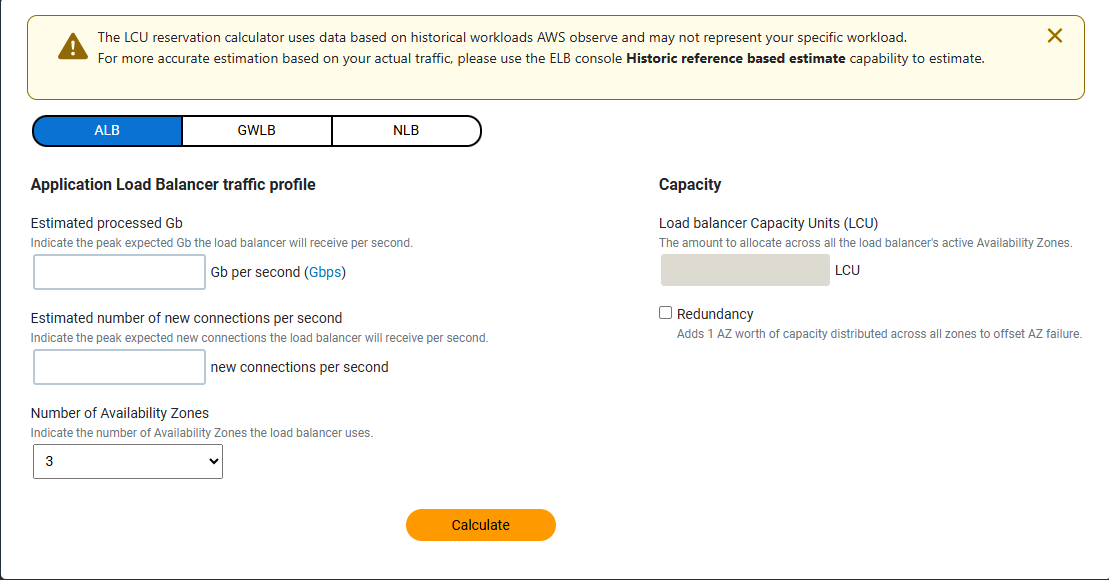
Remarks
- LCU reservation can upgrade anytime.
- LCU reservation can downgrade only 2 times per day.
- LCU reservation can cancel anytime you want.
ဒီအချက်တွေကို နားလည်ထားရင် unexpected LB cost တွေကိုရှောင်နိုင်သလို /big traffic events တွေကိုလည်း confidence နဲ့ handle လုပ်နိုင်မယ်ထင်ပါတယ်။
(Note: AWS behavior and pricing can vary by region and may change over time.)
Discussion
Join the conversation
How do you feel about this article?
Comments
Sign in to join the conversation
Sign in to be the first to comment!
Share Your Article
Share with your professional network
Recent Articles

AWS - Application Load Balancer
Elastic Load Balancing (ELB) ELB ဆိုတာကတော့ request တွေကို တစ်နေရာတည်းမှ လက်ခံကာ Amazon EC2 instances၊ containers, etc.....

Terraform Day 3: Benefits of Terraform State
Terraform ကိုလေ့လာ တဲ့အခါ ကျွန််တော်တို့ရဲ့ Project Folder ထဲမှာ terraform.tfstate ဆိုတဲ့ ဖိုင်လေးကို တွေ့ဖူးကြပါလိမ့်မယ...

Terraform Day 2: Essential IaC Principles You Must Know
မနေ့ကတော့ Terraform အကြောင်း အကြမ်းဖျင်း Concept ကို ပြောပြခဲ့ပြီးပြီဆိုတော့ ဒီနေ့မှာတော့ Terraform ကို Professional ကျက...
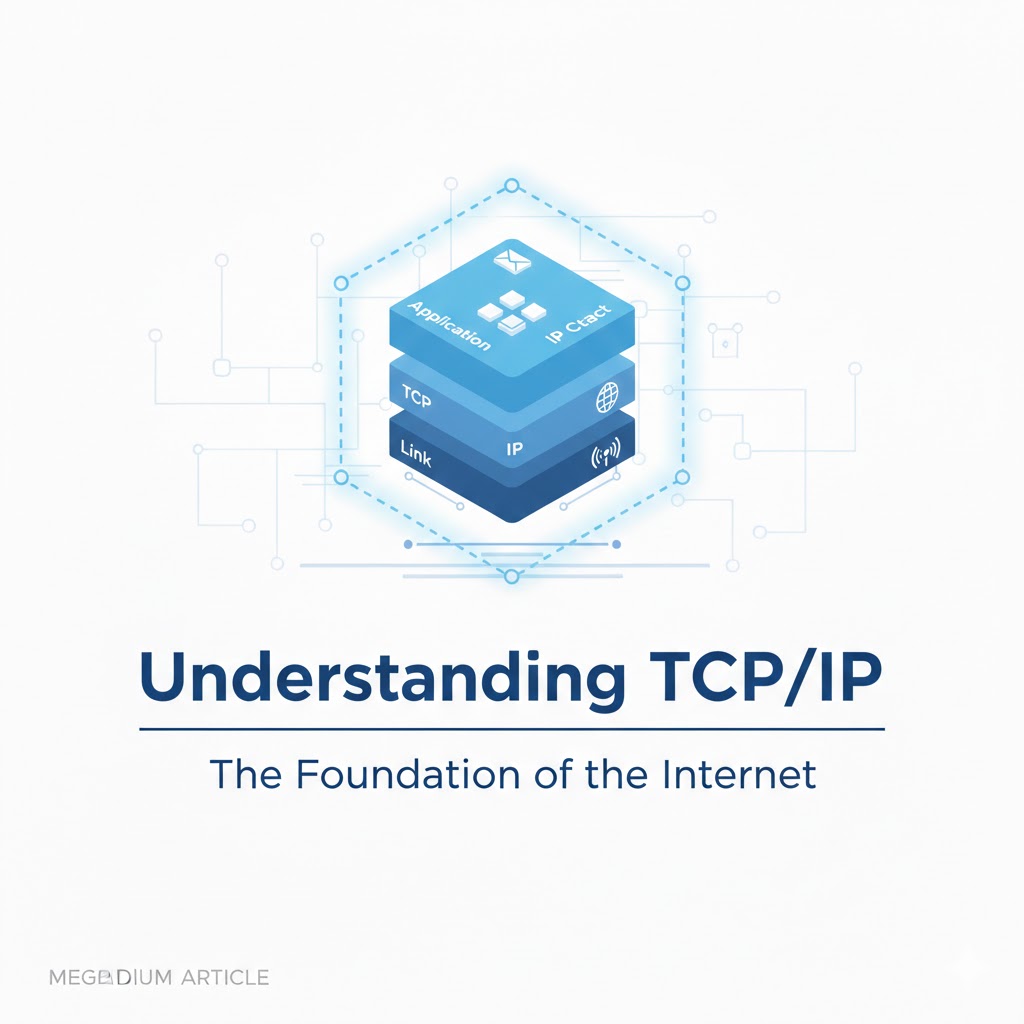
TCP/IP Protocol
အားလုံးပဲမင်္ဂလာပါ။ ဒီနေ့ ကျွန်တော်တို့ TCP/IP Protocol အကြောင်း ဆွေးနွေးသွားပါမယ်။ ပထမဆုံးအနေနဲ့ TCP/IP ရဲ့ History လေး...

Terraform Day 1: Introduction to IAC and Terraform
ကျွန်တော်တို့ cloud အကြောင်း စပြောကြပြီဆိုရင် အရင်ဆုံး ခေါင်းထဲရောက်လာတာ Console ထဲဝင်၊ UI ကနေ ခလုတ်လေးတွေ လိုက်နှိပ်ပြီ...